Phishing and Spoofing
Some thieves on the Internet simply go fishing, or “phishing” or “spoofing,” as the practice has come to be known. Identity thieves send massive numbers of e-mails to Internet users that ask them to update the account information for their banks, credit cards or online payment service or popular shopping sites. The e-mail may assert that the recipient’s account information has expired, been compromised or lost and that the account holder needs to immediately resend it to the company.
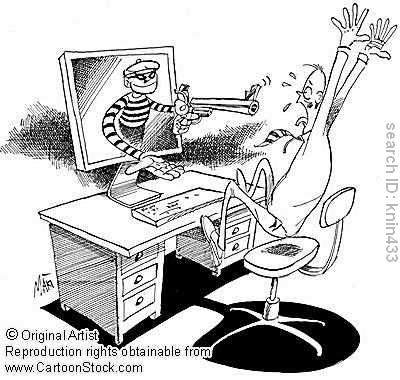
Identifying Fraudulent E-mails
It is incredibly difficult to detect fraudulent emails – as spoofers have become increasingly sophisticated in their attacks. There are certain characteristics Internet users should look for, though, that are common to many spoof e-mails
Personal information requests: An indicator of spoof e-mail is a request for the recipient to enter such sensitive personal information as a user ID, password or bank account number by clicking on a link or completing an e-mail form.Sender’s address: E-mail recipients should not rely on the sender’s e-mail address to
validate the true origin of the e-mail. While it may look legitimate, the “From” field be altered easily .
Greeting: Many spoof e-mails begin with a general greeting like, “Welcome User,” rather than being directed to a specific person.Threats to accounts: Some spoof e-mails declare that the recipient’s account is in jeopardy and that authenticating information is required to keep the account from being closed, suspended or restricted.
Lost information: Consumers should be wary of claims that a company is updating
its files or accounts. Companies like PayPal, eBay and other organizations with an established Internet presence and strong security measures are not likely to lose account information . Links: Links that look like they connect to a particular site may have been forged. Always open up a new browser window and manually type in the Web site address.
 Preventing Spoof
Individuals can take specific steps to help avoid falling prey to a spoof attack:
• Be extremely skeptical of e-mail received from someone they don’t know
• Keep separate passwords for each online account so that, if one is stolen, it will not provide access to the others
• Do not click on a link embedded within any potentially suspicious e-mail. By starting a new Internet session from the beginning and typing in the link’s URL into the address bar and pressing “enter” users can be sure they will be directed to a legitimate Web site.
• Call a financial institution to verify the account status before divulging information purportedly needed to keep their account out of jeopardy. Most legitimate financial companies will not send an e-mail threatening the status of an account and requiring the user to submit information immediately.
• Do not respond to any request for financial information that comes to you via e-mail
• Update anti-virus software weekly to help ward off e-mail-borne viruses that can find and transmit information from files
• Work from the most current versions of browsers and operating systems can also prevent many possible attacks
• Check online accounts regularly
• Install and run firewalls
Shopping Safely Online
Online fraud can take many forms from non-delivery of goods to non-return of damagedgoods. In many cases, online fraud can be deterred by following a few simple practices.
1. Learn as much as possible about the product and seller Shoppers will feel more secure and confident if they are familiar with the merchants from whom they’re buying. The Internet offers the platform for retailers to provide information about their companies and histories while the buyers are empowered to do their research about the products and companies. Shoppers might also learn about a retailer from its reputation, from previous purchases, from referrals through friends or from reviews and comments by other shoppers found online.
2. Understand the retailers’ refund policies: Look for and ask about what the refund policies are. Questions to ask include: the required timeframe a buyer must contact the retailers and return the items, if a full refund will be offered or a merchandise credit, and if an item that has been opened can be returned. For retailers without refund policies, consumers can use buyer protection programs from either the site or through the payment method. This ensures that if there is a problem with a transaction, the payment will be covered or refunded as a result of the protection guarantee.
3. Choose a secure password to protect account information: Many people use passwords for online stores that could be guessed, like their birthday, Social Security Number or a family member’s name. Instead, a password should contain a
combination of upper and lower case letters and numbers and symbols that no one else will know.
4. Use a secure checkout and payment process: Many Web sites use a technology called Secure Sockets Layer (SSL) to encrypt the personal and financial information sent over the Internet. To know if the retailer is offering a safe checkout process, look for the logos from companies like VeriSign or TrustE logo. A browser will also display the icon of a locked padlock at the bottom of the screen to indicate encryption.
5. If an offer sounds highly suspicious or too good to be true, it probably is: As with any purchase, shoppers should read the fine print (or, in some instances, click the links describing the purchase agreement). While Internet shops frequently offer lower prices than brick-and-mortar stores, shoppers should be wary of unreasonably low bargain prices or unusually attractive promises.

